Overview

Ansa is ideal for internal tools because:
  • Self-hosting — Keep all data on your infrastructure
  • Local LLMs — Use Ollama for complete privacy
  • API integrations — Connect to internal systems
  • User identification — Personalize based on employee data
  • Access control — Limit access to authorized users

Self-Hosting Setup

For internal deployments, self-host Ansa on your infrastructure:

Docker Deployment

# Clone the repository
git clone https://github.com/ansa/ansa.git
cd ansa

# Configure environment
cp .env.example .env
# Edit .env with your settings

# Start with Docker Compose
docker-compose up -d

Environment Variables

Key settings for internal use:
# Database
DATABASE_URL=postgresql://...

# Set deployment mode
ANSA_MODE=self-hosted

# Disable external analytics
DISABLE_TELEMETRY=true

# Configure allowed domains
ALLOWED_DOMAINS=internal.yourcompany.com

# Local LLM (Ollama)
OLLAMA_URL=http://localhost:11434
See Self-Hosting for complete setup guide.

Local LLMs with Ollama

For complete data privacy, use Ollama:

Setup Ollama

# Install Ollama
curl https://ollama.ai/install.sh | sh

# Pull a model
ollama pull llama3.2
ollama pull mistral

Configure in Ansa

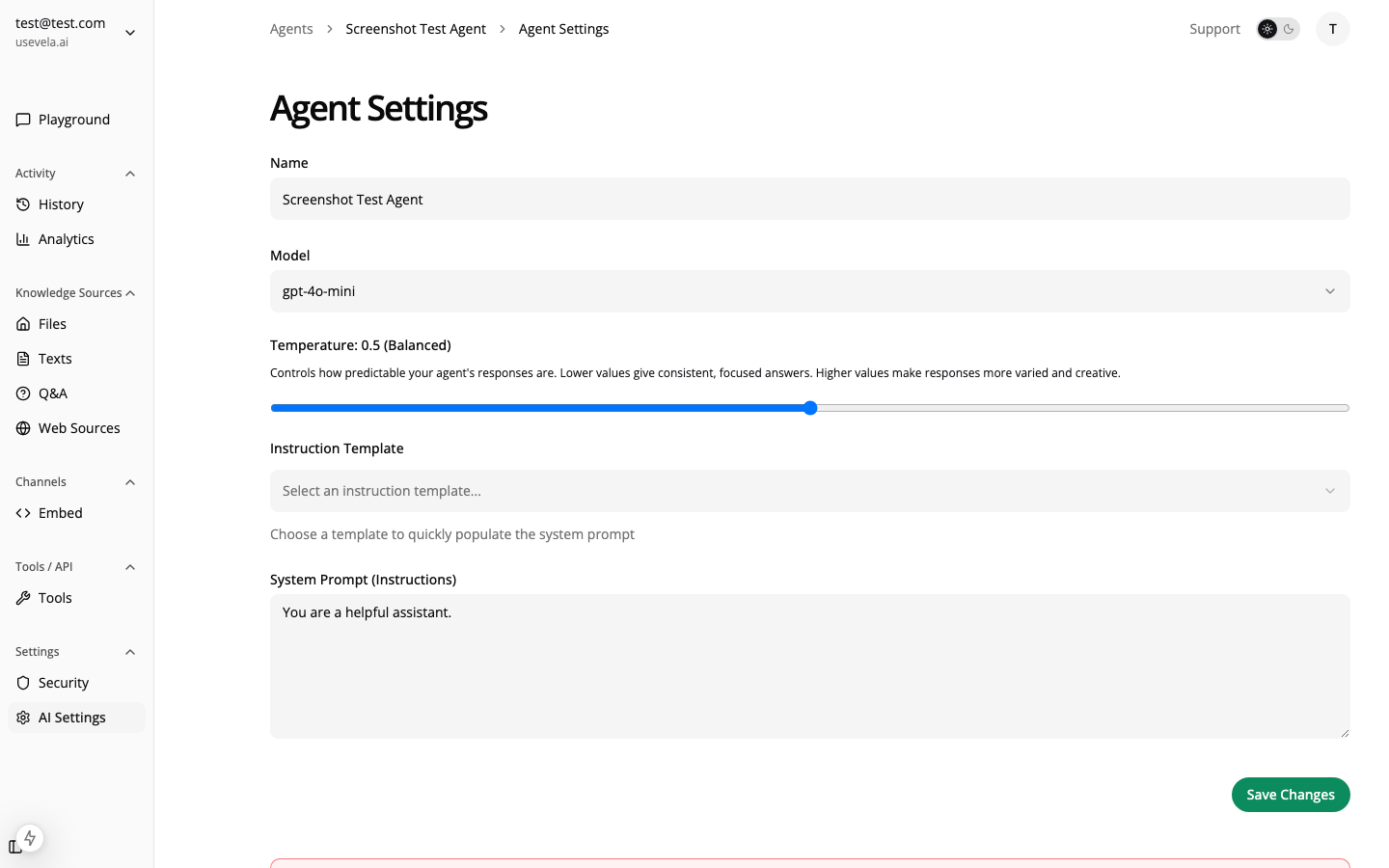
  1. Go to Agent Settings → Model
  2. Select Ollama as provider
  3. Choose your model (llama3.2, mistral, etc.)
  4. Set the Ollama URL (default: http://localhost:11434)
Agent settings with Ollama

Model Recommendations

ModelUse CaseNotes
Llama 3.2 8BGeneral assistantGood balance
Llama 3.2 70BComplex reasoningRequires GPU
Mistral 7BFast responsesLower resource usage
CodeLlamaCode-focused tasksBest for dev tools
Ollama models don’t have native tool calling. Ansa uses a text-based JSON parsing fallback, which may be less reliable than Claude/GPT for complex tool use.

Internal API Integrations

Connect to your internal systems with HTTP tools:

HR System Integration

{
  "name": "lookup_employee",
  "description": "Look up employee information by name or email.",
  "inputSchema": {
    "type": "object",
    "properties": {
      "query": { "type": "string", "description": "Employee name or email" }
    },
    "required": ["query"]
  },
  "executionType": "http",
  "httpUrl": "https://hr.internal.company.com/api/employees?q=${query}",
  "httpMethod": "GET",
  "httpHeaders": {
    "Authorization": "Bearer ${hr_api_key}",
    "X-Internal-Token": "${internal_token}"
  },
  "displayConfig": {
    "type": "product_card",
    "fieldMappings": {
      "title": "$.name",
      "subtitle": "$.department",
      "image": "$.avatar_url"
    }
  }
}

IT Ticketing System

{
  "name": "create_ticket",
  "description": "Create an IT support ticket for the user.",
  "executionType": "form",
  "formSchema": {
    "fields": [
      {
        "name": "category",
        "label": "Category",
        "type": "select",
        "options": [
          { "label": "Hardware", "value": "hardware" },
          { "label": "Software", "value": "software" },
          { "label": "Access", "value": "access" },
          { "label": "Network", "value": "network" }
        ]
      },
      {
        "name": "priority",
        "label": "Priority",
        "type": "select",
        "options": [
          { "label": "Low", "value": "low" },
          { "label": "Medium", "value": "medium" },
          { "label": "High", "value": "high" },
          { "label": "Critical", "value": "critical" }
        ]
      },
      {
        "name": "description",
        "label": "Describe the issue",
        "type": "textarea"
      }
    ],
    "submitLabel": "Create Ticket",
    "successMessage": "Ticket created! You'll receive an email with the ticket number."
  },
  "formPostActions": [
    {
      "type": "webhook",
      "url": "https://jira.internal.company.com/api/issues",
      "headers": {
        "Authorization": "Bearer ${jira_token}"
      }
    }
  ]
}

Internal Database Query

{
  "name": "query_inventory",
  "description": "Check inventory levels for a product or part.",
  "executionType": "http",
  "httpUrl": "https://inventory.internal.company.com/api/items?sku=${sku}",
  "httpMethod": "GET",
  "displayConfig": {
    "type": "table",
    "options": {
      "columns": [
        { "key": "sku", "label": "SKU" },
        { "key": "name", "label": "Item Name" },
        { "key": "quantity", "label": "In Stock" },
        { "key": "location", "label": "Warehouse" }
      ]
    }
  }
}

Employee Identification

Identify employees for personalized assistance:
// After SSO/LDAP login
window.ansa.identify({
  userId: 'emp_12345',
  userMetadata: {
    name: 'Jane Smith',
    email: '[email protected]',
    department: 'Engineering',
    role: 'Senior Developer',
    manager: 'John Doe',
    location: 'NYC Office',
    startDate: '2022-03-15'
  }
});
The agent can then:
  • Greet employees by name
  • Know their department and role
  • Pre-fill forms with employee info
  • Provide relevant information based on role

Pre-filling Forms

Use employee data in form defaults:
{
  "name": "email",
  "label": "Email",
  "type": "email",
  "defaultValue": "{{user.email}}",
  "disabled": true
}

Access Control

Domain Restrictions

Limit widget to internal domains:
ALLOWED_DOMAINS=internal.company.com,intranet.company.com

Security Settings

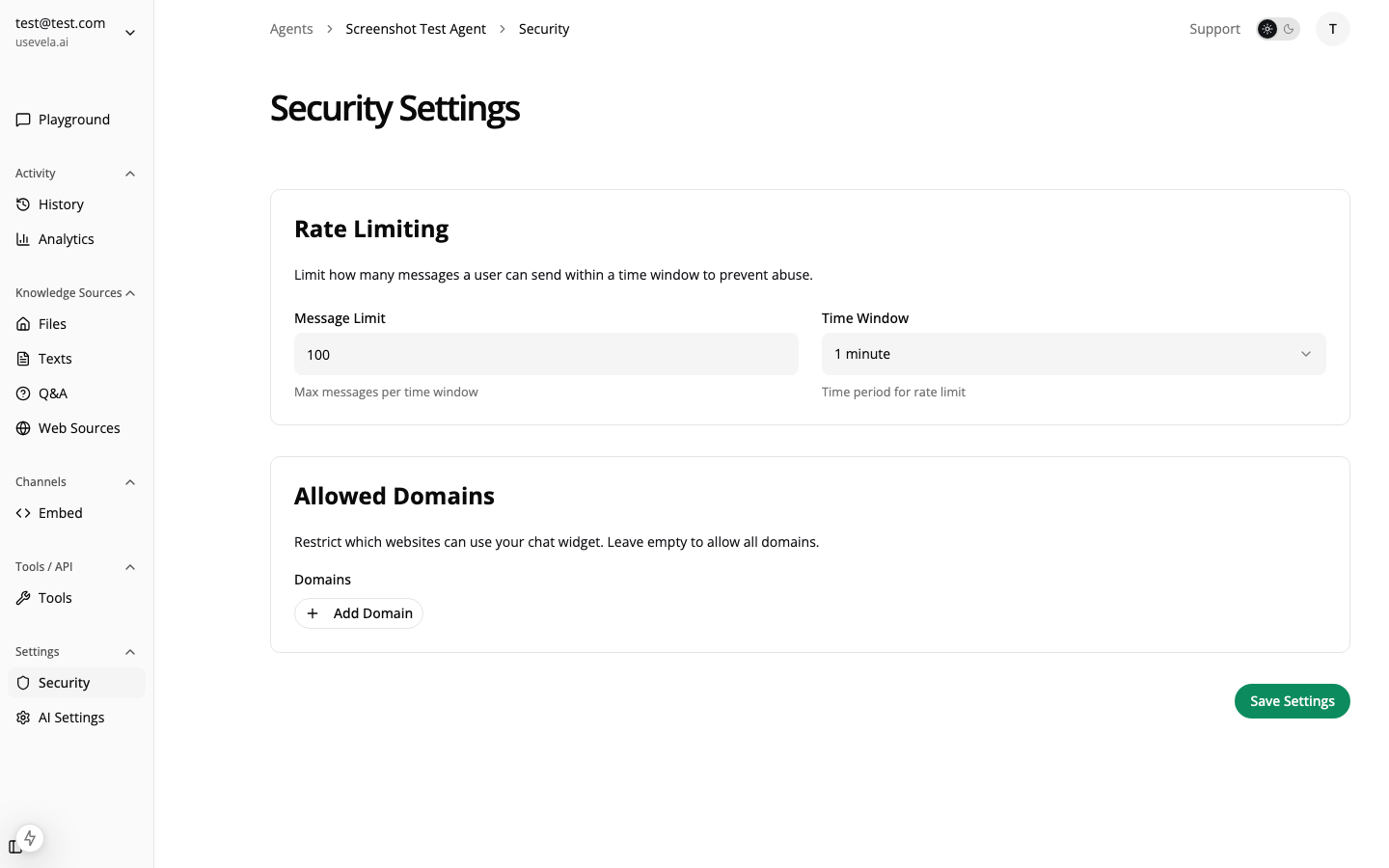
Configure in Settings → Security: Security settings
  • Allowed Domains — Only show widget on these domains
  • Rate Limits — Prevent abuse
  • IP Whitelist — Restrict to office/VPN IPs (if supported)

Use Cases for Internal Tools

IT Help Desk

  • Answer common IT questions from internal docs
  • Create tickets for issues that need human help
  • Look up asset information
  • Reset password requests (with proper auth)

HR Assistant

  • Answer policy questions
  • Look up employee directory
  • Submit time-off requests
  • Onboarding information for new hires

Sales Operations

  • Look up customer information from CRM
  • Check pricing and inventory
  • Generate quotes
  • Find case studies and collateral

Engineering Support

  • Search internal documentation
  • Look up service status
  • Create bug reports
  • Find code examples and patterns

Knowledge Base for Internal Docs

Indexing Internal Content

SourceHow to Index
ConfluenceExport to PDF, upload as files
NotionExport workspace, upload markdown
SharePointExport documents, upload as files
Internal WikiWeb crawl if accessible, or export
Google DocsExport as PDF, upload

Sensitive Information

Be careful about what you index. The AI will use any indexed content to answer questions. Avoid indexing:
  • Salary/compensation data
  • Personal employee information
  • Security credentials
  • Confidential business strategy

See Also